ChatGPT Images 2 is bringing the creative piece of that puzzle back
ChatGPT Images 2 puts OpenAI back in the image generation conversation, but this time the pitch feels more practical. Instead of chasing weird video demos or one-off viral art, OpenAI is pushing ChatGPT Images toward work you might actually need to finish: infographics, study guides, scientific posters, social graphics, and marketing materials. In short, ChatGPT Images 2 is bringing the creative piece of that puzzle back to ChatGPT in a way that feels tied to real tasks.
That matters in 2026 because image generation has changed fast. Users now expect more than pretty outputs. You want images with usable text, stronger consistency, and a workflow that fits your day. OpenAI’s latest move leans into that shift, especially with web-backed help for paying users who use reasoning features to search the web, gather facts, and turn them into readable visual designs.
What ChatGPT Images 2 actually does
Based on reporting from CNET and OpenAI’s own product notes, ChatGPT Images 2 is designed for text-heavy, information-rich visuals. That is a big deal because earlier image tools often fell apart when you asked for dense text, clean labels, or multi-section layouts.
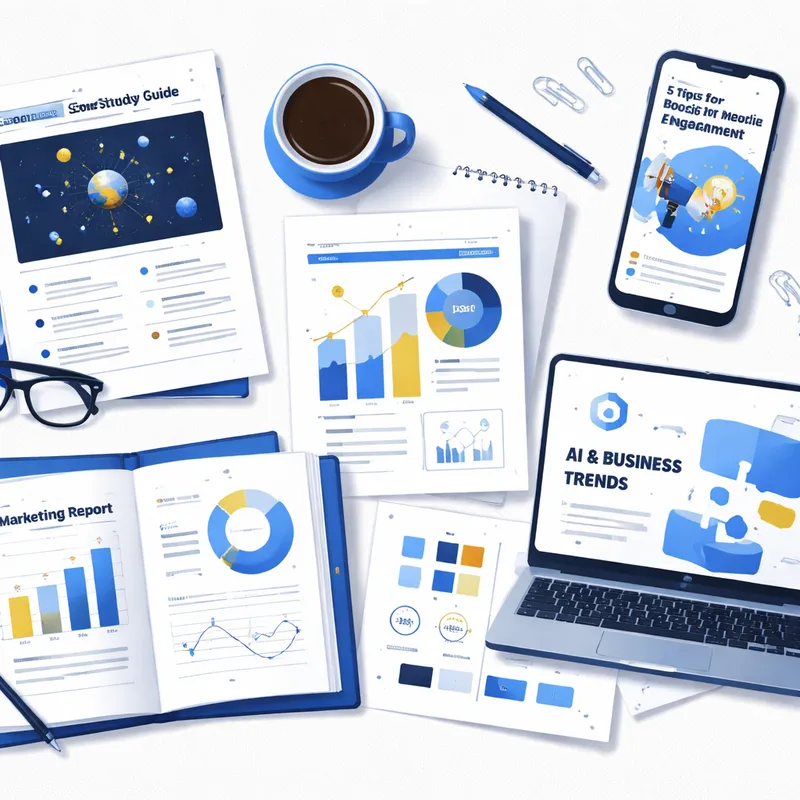
OpenAI is aiming this model at tasks like:
- infographics
- scientific posters
- study guides
- marketing materials
- social media visuals
- multi-page visual reports
Adele Li, OpenAI’s product lead, framed visual intelligence as part of ChatGPT’s personal-assistant future. That makes sense. A lot of what people create is personal, expressive, and useful at the same time. A teacher making a lesson sheet or a marketer mocking up a campaign image is doing creative work, but also trying to save time.
This is also why the launch feels different from Sora. The article frames ChatGPT Images 2 as a move away from flashy experiments and toward economically valuable creative tasks. That sounds less cinematic, sure, but probably more useful for most people.
Why web-backed image generation changes the game
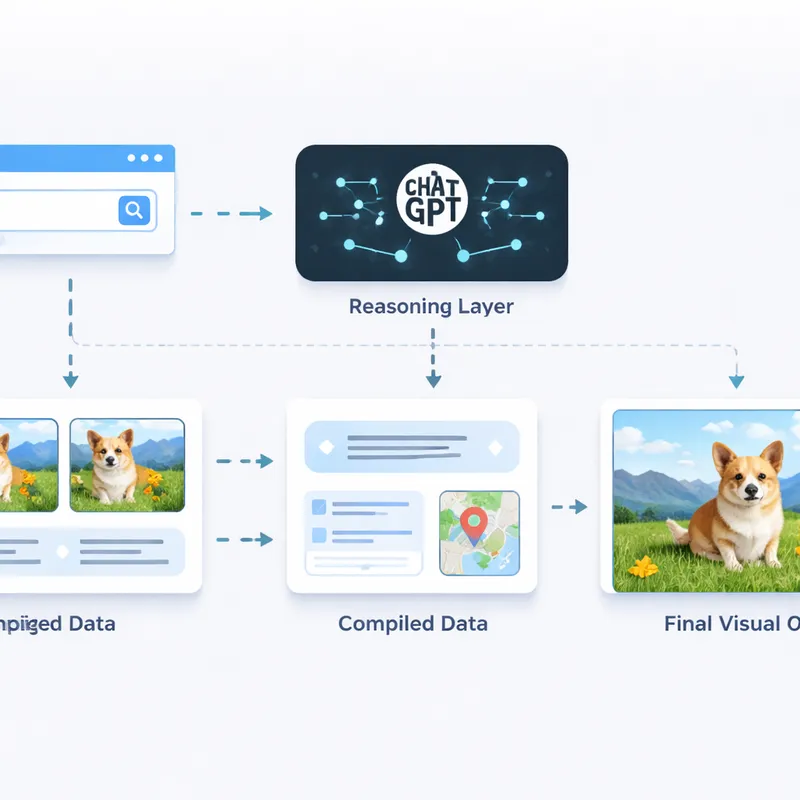
The most interesting shift is not just better image output. It is the idea that image generation can be connected to reasoning and web search.
For paying users, the article says OpenAI offers a thinking and reasoning option that can:
- search the web
- compile information
- turn that information into a readable design
- double-check work before generating
That changes the role of an image model. Instead of only drawing what you describe, it can help build a visual from researched information. Imagine asking for a one-page climate study guide, a comparison chart for laptop buyers, or a visual summary of a market trend. The image is no longer only decorative. It becomes a presentation format for information.
This is where interactive image generation starts to feel more serious. You are not just prompting for a picture. You are asking ChatGPT to gather, organize, and present material in image form.
Personally, I think that is the bigger story here. The image itself is only half of the value. The real change is that images can now sit closer to research and reasoning.
Better text rendering is the headline improvement
If you have used AI image tools before, you already know the old problem: beautiful design, unreadable words. Random letters. Misspelled headings. Labels that look almost right until you zoom in.
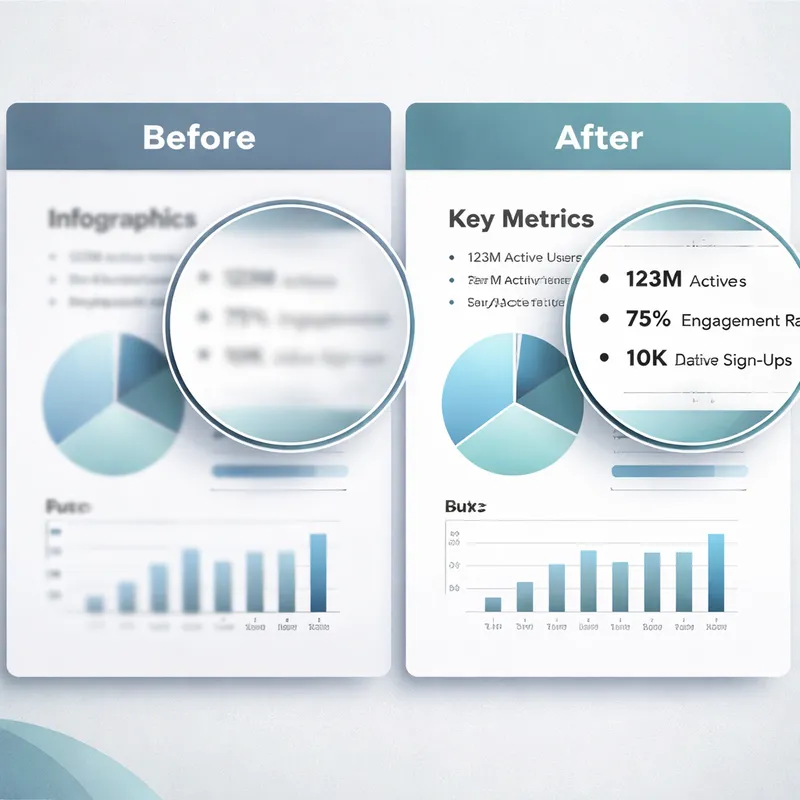
ChatGPT Images 2 is being positioned as OpenAI’s best model yet for legible text. The reporting highlights improvements in:
- readable text inside images
- better text accuracy
- support for multiple languages
- denser and smaller text layouts
OpenAI’s December 2025 announcement about its new ChatGPT Images experience also said the newer model supports better instruction following, faster generation, and more precise edits while preserving important details like lighting, composition, and a person’s appearance.
That combination matters for practical design. If you are making a study guide or a branded visual, text is not a side feature. It is the product. Better text rendering is what moves AI images from novelty into everyday work.
Multi-page consistency makes it more useful for professionals
Another notable capability is consistency across several outputs. The article says you can generate up to eight images from a single prompt and keep the visual style consistent across pages.
That opens up workflows like:
- a three-page recipe guide with matching layout
- a mini visual report with the same branding on every page
- a lesson plan series with consistent illustrations
- a product explainer carousel for social media
This is where ChatGPT Images 2 seems to target the middle of the market. It is not trying to be Midjourney for art-first enthusiasts, and it is not fully trying to replace Adobe Firefly’s broader editing stack. Instead, it looks built for working professionals who need fast, good-enough visuals that stay aligned across a set.
Teachers, marketing managers, solo founders, and ecommerce teams probably stand to gain the most from this.
Editing is better, but not friction-free
OpenAI says the newer image system is better at editing uploaded images and preserving what matters. It can add, remove, combine, blend, and transpose elements with more reliable instruction following. In the API, GPT Image 1.5 also aims to preserve branded logos and important visual details across edits.
Still, there is a catch.
CNET notes that tweaking an image may still require regeneration rather than precise manual adjustments. For text-heavy designs, that can mean burning through credits faster because small wording fixes may require another pass.
So yes, the workflow is more straightforward, but not perfect. If your job depends on exact text placement or careful revision control, you may still need a traditional editor after generation.
Availability, pricing, resolution, and who gets what
Here are the practical details worth knowing:
- ChatGPT Images 2 is rolling out to all users
- generation limits depend on your plan
- paying users get more image generations
- developers can use the API model as GPT Image 1.5
- API resolution options include 2K and 4K
- higher resolutions are still in beta and may look wonky
- OpenAI says the newer experience can generate images up to 4x faster
- image inputs and outputs in GPT Image 1.5 are 20% cheaper than GPT Image 1
There is also a new Images creation space inside ChatGPT on mobile and chatgpt.com. OpenAI says it includes preset filters, trending prompts, and a one-time likeness upload so you can reuse your appearance in future creations.
If you are searching for ChatGPT image AI free options or wondering how to generate images with Chat GPT for free, the key point is simple: the rollout includes all users, but usage limits vary by plan. Free access exists, but heavier generation and advanced workflows are more available on paid tiers.
Safety, metadata, and the controversy around OpenAI image tools
Safety rules have not changed much from the last image model, according to the reporting. OpenAI says images include C2PA metadata so origins can be identified, and abusive or illegal imagery is still prohibited.
That matters because AI image and video tools are under pressure for misuse, especially around deepfakes and nonconsensual intimate imagery.
There is also a broader controversy around output bias. As highlighted in the Google People Also Ask results, WIRED tested OpenAI’s popular AI video generator and found it amplified sexist stereotypes and ableist tropes. That criticism fits a larger pattern across AI media tools. Better quality does not automatically mean fairer outputs.
So while ChatGPT Images 2 looks more useful, you should still treat it as a tool that needs review. Check facts. Check labels. Check representation. And do not assume a polished image is a neutral one.
How ChatGPT Images 2 compares to the rest of the market
The positioning here is pretty clear.
- Midjourney still speaks more to art-focused users
- Adobe Firefly fits professional creators who want deeper editing tools
- ChatGPT Images 2 aims at work-focused users who want speed, text, consistency, and simple prompt-based iteration
That middle lane could be strong. A lot of people do not want endless prompt experimentation. They want a usable result fast. A teacher needs a study sheet. A marketer needs a product graphic. A founder needs a simple infographic for a pitch deck.
This is also why terms like ChatGPT Pictures ai, Chat GPT photo editor online free, ChatGPT photo prompt generator, and Best ChatGPT image prompts keep showing up in search. People are not just looking for digital art anymore. They are trying to solve specific communication problems.
What this means for creators, marketers, and teams in 2026
The creative game has changed because image generation is becoming part of a larger workflow, not a separate toy.
With ChatGPT Images 2, OpenAI is betting that the future is:
- prompt-first creation
- better text inside visuals
- image outputs tied to reasoning
- web-backed information gathering
- multi-image consistency for real deliverables
For you, that means AI images may become most valuable when they help you explain something, not just illustrate it.
If OpenAI keeps improving text reliability, editing precision, and source-aware generation, ChatGPT could become one of the easiest places to create visual content without jumping between five different tools. It is not perfect yet. But it feels a lot closer to everyday work than many earlier AI image launches did.
FAQ
What is the controversy with OpenAI image generator?
One major controversy is bias in AI-generated media. As noted in Google’s People Also Ask results, WIRED found that OpenAI’s AI video generator amplified sexist stereotypes and ableist tropes. More broadly, critics also worry about deepfakes, nonconsensual intimate imagery, and the use of copyrighted material in training data.
How does the new OpenAI image model work?
According to the People Also Ask summary, GPT Image 1.5 uses an autoregressive approach rather than diffusion. It processes text and images in the same neural network through a native multimodal architecture. That differs from older systems that split text understanding and image generation into separate models.
How does ChatGPT generate images?
ChatGPT generates images by taking your prompt, interpreting the requested scene or design, and producing an image with OpenAI’s image model. In the newer ChatGPT Images experience, you can also edit uploaded images, preserve important details, and in some paid workflows combine reasoning and web search to compile information into a readable visual design. You can use a simple ChatGPT image generator command, plain ChatGPT image generator text prompts, or uploaded image edits.
How has AI image generation improved?
AI image generation has improved in realism and usefulness. Newer systems can mimic more natural photo styles, including the slight imperfections people expect from smartphone images, instead of producing overly glossy fakes. In OpenAI’s case, the latest gains also focus on legible text, better instruction following, faster generation, stronger editing, and more consistency across multiple images.
Can you use ChatGPT Images 2 for free?
Yes, ChatGPT Images is rolling out to all users, but limits depend on your plan. Free users can access image generation with tighter usage limits, while paid plans generally allow more generations and advanced features.
What are the best use cases for ChatGPT Images 2?
The strongest use cases appear to be text-heavy and professional tasks, such as study guides, infographics, scientific posters, social media assets, branded marketing visuals, and multi-page reports with a consistent look.

