Apple phishing alert: why this scam feels so real in 2026
Scammers are weaponizing Apple's notifications in a phishing attack that looks far more believable than the usual spam email. That is what makes this Apple phishing alert worth taking seriously right now.
In the latest version of the scam, you get what looks like a real Apple account notification email. It may say you bought a new iPhone for $899 with PayPal, or that there were changes to your Apple Account. Then it gives you a phone number to call to cancel the charge.
That is the trap.
If you call, you do not reach Apple. You reach a scammer trained to sound calm, helpful, and urgent at the same time. From there, they may try to get your financial details, push you to install remote access software, or walk you into handing over account information.
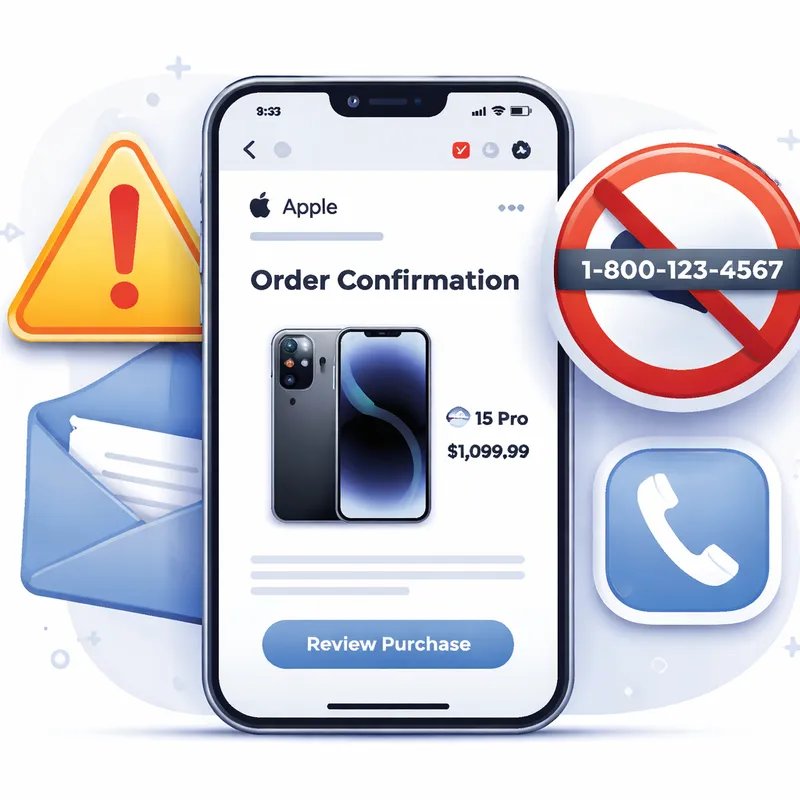
How scammers are weaponizing Apple's own notifications
What makes this attack different is not just the design. Reports say some of these emails were sent through Apple's own infrastructure and appeared to come from appleid@id.apple.com. They also reportedly passed multiple authentication checks, which means the message can look clean inside your inbox.
That alone can fool smart people.
The method described by researchers is sneaky. Attackers create a real Apple account using a victim's first and last name, then change fields like shipping information. Because Apple uses some user-supplied account details in notifications, the scammers can inject phishing content into a message that looks like a normal Apple account alert.
In other words, the email can be real in one sense and still be a scam.
That is why you should stop using one simple rule like, "It came from Apple, so it must be safe." In this case, the notification may look authentic while the message inside is still for fraud.
What the fake Apple notification usually says
The wording can vary, but the structure is pretty consistent:
- A surprise purchase alert, often for a new iPhone
- A price that feels specific, like $899
- A mention of account changes or suspicious activity
- A phone number to call right away
- Pressure to act before the charge is completed
This is classic social engineering. Apple itself warns that scammers use impersonation, deception, and manipulation to make you hand over passwords, security codes, financial details, or money.
They want one thing from you first: panic.
Once you feel rushed, you are more likely to call, click, or share something you normally would not.
How to spot it fast before you do anything
Here is the fast filter I would use if this lands in my inbox or texts today.
1. Do not call the number in the message
This is the biggest red flag in this scam. The email is built around getting you on the phone with the attacker. Apple says if you are suspicious, contact the company directly through official channels, not through the number sent to you.
2. Check your real accounts first
Before you react, open your bank app, PayPal, or card account yourself. Look for the charge. If there is no $899 iPhone purchase, that fake urgency loses its power fast.
3. Verify through Apple's official account page
If you want to know whether an Apple alert is real, go directly to account.apple.com and sign in yourself. If Apple has a real account warning for you, it should be visible there. If there is no message, treat the email or text as suspicious.
4. Be careful with "looks real" logic
A message can look polished, use your name, and even appear to come from an Apple address. None of that proves it is safe.
5. Never share passwords or verification codes
Apple says it clearly: Apple never asks for your password or two-factor authentication code to provide support. If anyone asks for that, stop immediately.
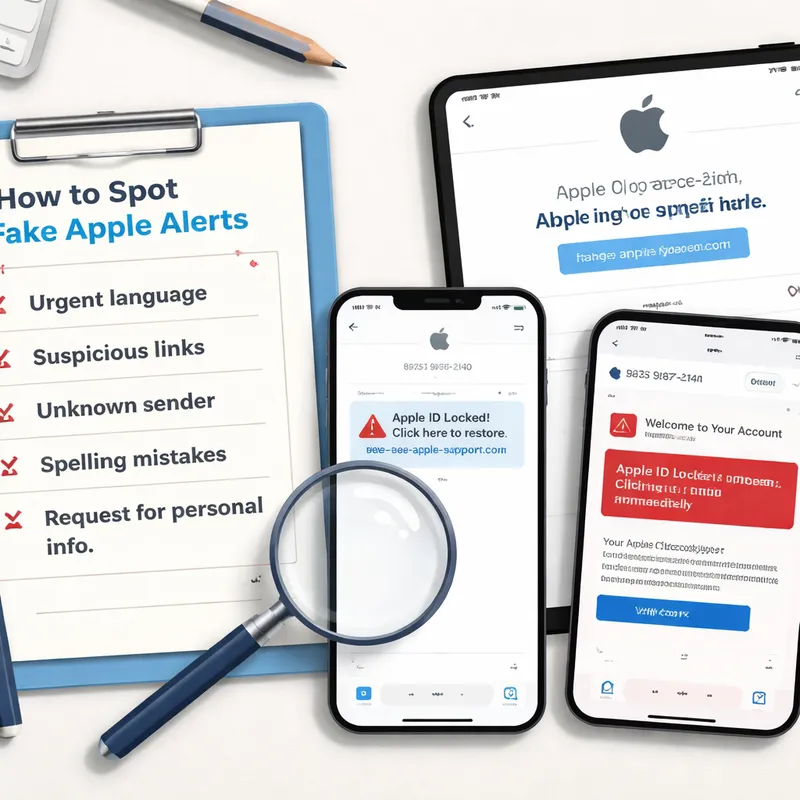
Apple security alert text message vs real Apple alerts
A lot of people search for terms like Apple security alert text message, Apple security alert today, and does Apple send security alerts via text. The short answer is this: scammers absolutely send fake Apple-branded texts, and you should be cautious with every unexpected message.
Real Apple security alerts do not behave like scam pop-ups or panic texts.
Real Apple alerts usually:
- Appear in device settings or official Apple apps
- Can be confirmed through your Apple account directly
- Do not pressure you to call a random number
- Do not ask for your password, full payment details, or security code
Fake Apple alerts often:
- Arrive by email, SMS, browser pop-up, or fake call
- Claim your account is locked, hacked, or charged
- Tell you to call immediately
- Push you to click links, install software, or grant remote access
- Use countdowns, threats, or repeated warnings
If the warning appears in a web browser, especially as a pop-up or full-screen page, it is very likely a scam. Apple does not deliver security alerts through random browser pages.
The real danger starts when you call back
This scam is not just about a fake notice. It is about what happens next.
Callback phishing is effective because a phone conversation feels more trustworthy than an email. Once you call, scammers often claim your Apple ID was compromised, your bank account is exposed, or your device is infected. Then they walk you into the next step.
That next step can include:
- Installing remote access software
- Logging into financial accounts while they watch
- Sharing card numbers or banking details
- Giving up Apple ID credentials or verification codes
- Downloading malware or unwanted configuration profiles
Past scams using the same callback method have led to drained bank accounts, stolen data, and malware infections. So the best move is simple. Never start the conversation.
What to do if you get one of these messages
If you receive a suspicious Apple email, text, or call, do this in order:
- Stop and do nothing for a minute.
- Do not click links, open attachments, or call the number.
- Check your bank, PayPal, Apple purchases, and subscriptions directly.
- Sign in through account.apple.com or Apple's official support site.
- Forward suspicious emails to reportphishing@apple.com.
- Screenshot suspicious Apple-branded SMS messages and send them to reportphishing@apple.com.
- For suspicious FaceTime fraud, send details to reportfacetimefraud@apple.com.
- In the U.S., report scam calls to reportfraud.ftc.gov.
If the message hit your iCloud inbox, mark it as Junk. If it is in Messages, use Report Junk and block the sender.
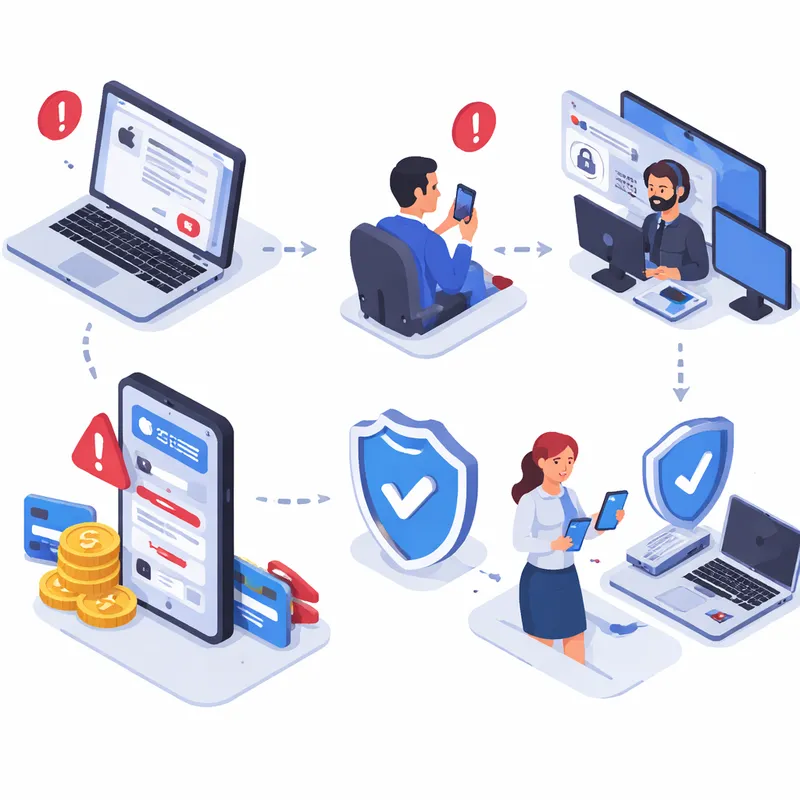
What to do if you already clicked, called, or shared info
If you interacted with the scam, act fast. Speed matters.
If you entered your Apple ID or password
- Change your Apple Account password immediately
- Make sure two-factor authentication is enabled
- Review trusted devices and remove anything you do not recognize
If you gave a verification code
- Change your password right away
- Check account recovery details and contact info
- Watch for signs someone is trying to lock you out
If you installed software or gave remote access
- Disconnect from the internet
- Remove unknown apps, browser extensions, or configuration profiles
- Run a reputable antivirus or anti-malware tool on Windows or macOS
- Contact your bank if financial accounts were accessed
If you paid or shared financial info
- Call your bank or card issuer using the number on the back of your card
- Freeze or replace compromised cards if needed
- Monitor statements closely for new fraud
Sadly, getting stolen money back is often difficult. That is one reason scammers keep doing this.
How to protect yourself from the next Apple phishing email
You do not need to become a security expert. A few habits go a long way.
- Enable two-factor authentication on your Apple Account
- Keep your contact details updated with Apple
- Install updates for iPhone, iPad, Mac, and browsers
- Download apps only from the App Store or trusted developers
- Turn on Safari protections like fraudulent website warnings and pop-up blocking
- Be cautious with configuration profiles and browser extensions
- Use reputable security software where it makes sense
My personal rule is boring but effective: if a message creates panic, I slow down even more. Real companies let you verify things calmly. Scammers try to control the pace.
Why older people are often targeted more
Yes, seniors are often targeted more in phishing and callback scams.
That does not mean younger people are safe. It just means older adults can be more attractive targets because scammers believe they may have more savings, may be less comfortable with newer tech, and may be less likely to report fraud quickly. Cognitive decline can also make urgency-based scams more effective.
If you help a parent or grandparent with tech, this is a good time to give them one simple rule: never call a number in an unexpected Apple alert.
FAQ
Are older people targeted more?
Often, yes. Seniors are common targets because scammers think they may have more savings, may be less familiar with phishing tactics, and may feel embarrassed about reporting fraud. But these scams hit every age group, so everyone should treat surprise Apple alerts with caution.
How do I know if an Apple alert is real?
Go directly to account.apple.com and sign in yourself. If there is a real Apple account notification, you should be able to confirm it there. You can also check your device settings and your actual payment accounts. If there is no matching alert or charge, the message is likely a scam.
Does Apple send fake notifications?
Apple does not send fake notifications, but scammers imitate Apple constantly. In some newer attacks, criminals are abusing real Apple notification systems to make phishing messages look legitimate. That is why you should verify every alert independently instead of trusting the email, text, or caller.
How do I know if a message from Apple is legit?
Check the sender, but do not stop there. Legitimate Apple emails usually come from Apple domains, may address you by name, and should never ask for your password, verification code, or full payment details. Do not trust links or phone numbers in the message. Verify through Apple's official website or apps instead.
Does Apple send security alerts via text?
Apple may contact users in limited legitimate cases, but unexpected security-related texts should be treated carefully. If you receive a text about unusual activity, do not tap links or call numbers from it. Sign in to your Apple account directly and verify there.
Does Apple send text messages about unusual activity?
Sometimes Apple may send account-related notices, but scammers copy that style all the time. If you get a text about unusual activity, assume nothing. Check account.apple.com, your purchase history, and your payment accounts directly.
What is the Apple phishing email address for reporting?
Forward suspicious Apple-looking emails to reportphishing@apple.com. If it is a suspicious text, take a screenshot and email that to reportphishing@apple.com too.
How do I report an iCloud phishing email?
If the phishing email appears in your iCloud inbox, mark it as Junk. You can also forward the suspicious email to reportphishing@apple.com. For abuse or impersonation involving iCloud mail services, Apple also lists abuse@icloud.com for certain cases.
Final takeaway
This Apple phishing alert matters because the scam is not using the usual sloppy tricks. Scammers are weaponizing notifications that can look real enough to fool careful people.
So keep the response simple.
Do not panic. Do not click. Do not call.
Check your accounts yourself, verify through Apple's official pages, and send suspicious messages to reportphishing@apple.com. That one pause could save your Apple ID, your bank account, and a lot of stress.

